


What are the steps?
1 – Go to www.tntv.pf
Visit the website www.tntv.pf on a computer or mobile device.
Purchases can only be made on the website, not through the apps. However, once purchased, your content will be available across all TNTV+ apps.
2 – Create or log in to your TNTV+ account
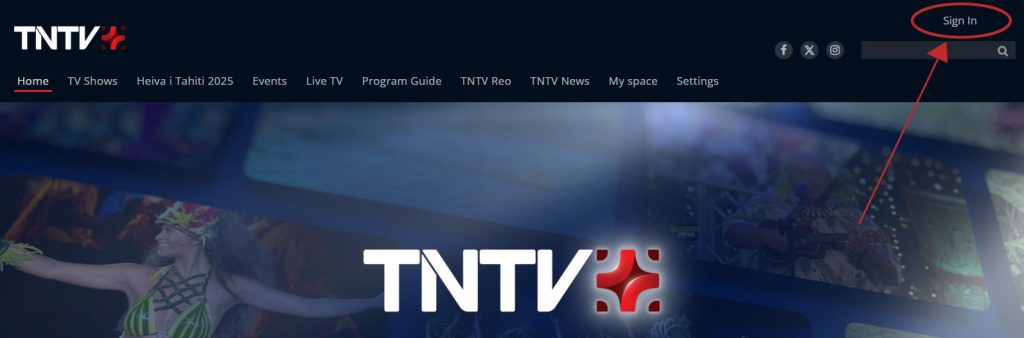
Click on « Sign in » at the top right to either create or log in to your account.
Create a TNTV+ account
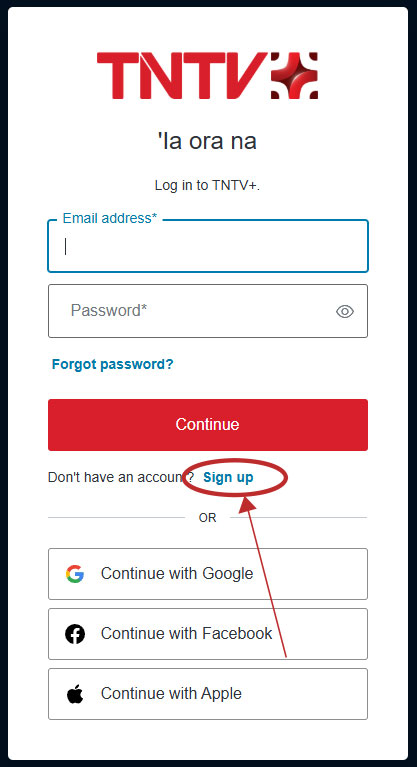
To create an account, click on « Sign up » and register with an email and password.
Or create an account via social media by clicking “Continue with Google”, “Continue with Facebook”, or “Continue with Apple”.
3 – Go to the event’s page
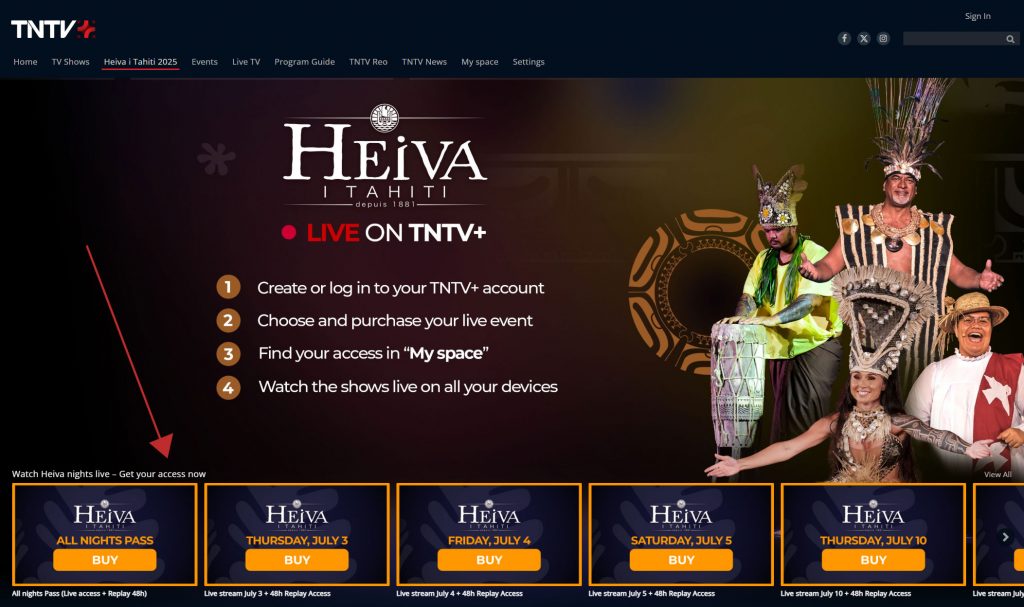
Once logged in, click on the event section in the menu.

4 – Choose and click on a live event
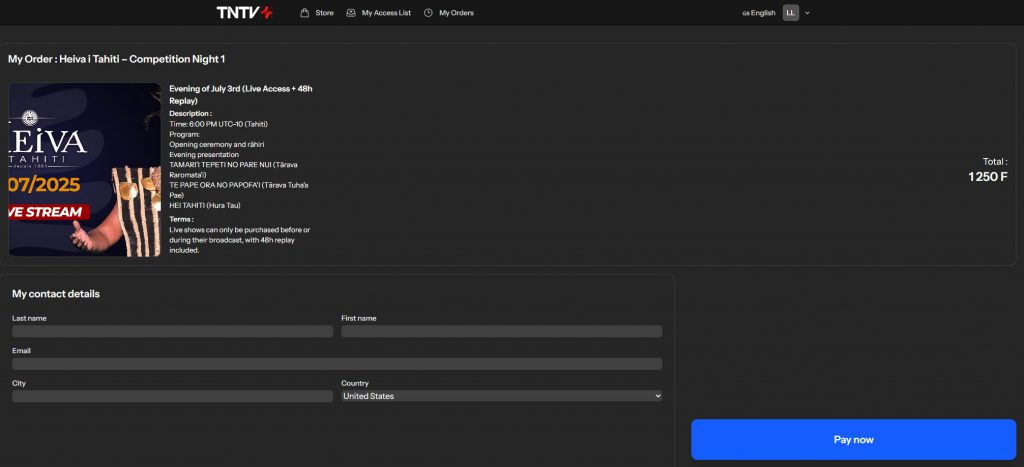
5 – Place your order and make payment
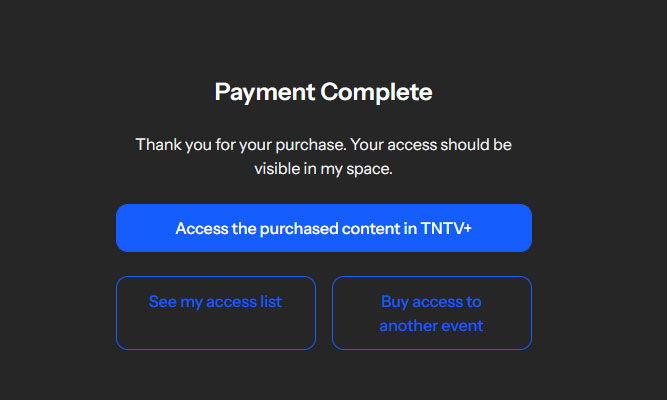
6 – Access your content on TNTV+
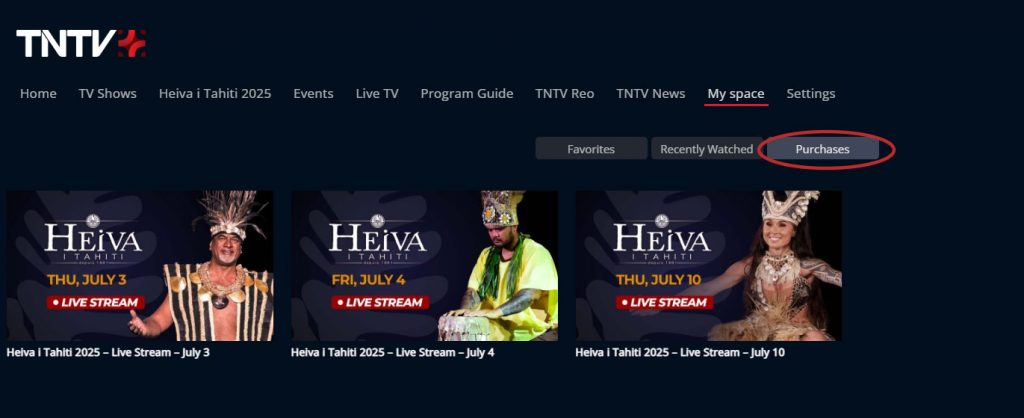
Click on “Access purchased content on TNTV+” to be redirected to your “My Space” under the “Purchases” tab.
If you cannot find your purchase in « My Space« , please send a message to our support team with your order number. We will get back to you as soon as possible: [email protected]
7 – Watch your live event on all your screens
Come back later and find your access in the “Purchases” tab of your “My Space” on all screens: web, TV apps, and mobile apps. Enjoy the live broadcast!
Need help ?
For any technical issues, please contact us at [email protected]
Our team will respond as quickly as possible during event days.